Showing posts with label Download Videos. Show all posts

Friday, 20 July 2012

How To Download Videos From You tube By Using IDM


Internet Download Manager 6.11 Build 7 (IDM) is a tool to increase download speeds by up to 5 times, resume and schedule downloads. Comprehensive error recovery and resume capability will restart broken or interrupted downloads due to lost connections, network problems, computer shutdowns, or unexpected power outages. Simple graphic user interface makes IDM user friendly and easy to use.Internet Download Manager has a smart download logic accelerator that features intelligent dynamic file segmentation and safe multipart downloading technology to accelerate your downloads. Unlike other download managers and accelerators Internet Download Manager segments downloaded files dynamically during download process and reuses available connections without additional connect and login stages to achieve best acceleration performance.

If You Want To Download Videos From YouTube Using IDM. Just Take These Steps:

1.Just Download IDM on Your PC.

2.Then Restart Your Internet Browser.

3.Then Open You Tube and Play video.

4.You see some text bar at the end of videos "Download Videos form this page".


5.Then click on it .After click on it new Dilog box appear.

6.Click on "start downloading".
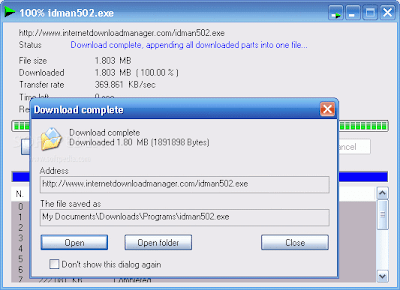

7.Now You Are Done.

Tuesday, 26 June 2012

How to Download Videos form YouTube


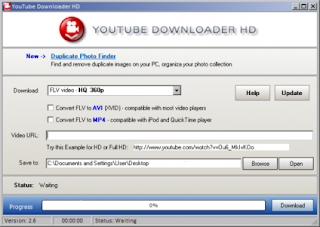
Installing YouTube Downloader HD

There are some steps through which you can download Videos from Youtube

1.Download YouTube Downloader HD, then install and launch the program.

2.Select the quality of the video using the Download dropdown menu. Many YouTube videos are offered in multiple quality levels—from 240p to Full HD 1080p. Higher-quality videos look better but take up more hard-drive space and take longer to download.

3.Check one of the optional boxes if you want to convert an FLV video to AVI or MP4. The FLV format is not as widely supported as AVI and MP4, so you may find your media player won’t recognize FLV videos.

4.Insert the URL of the YouTube video you want to download in the Video URL field. Follow the format of the example provided below the field.

5.Enter a location where you want to save videos.

6.Click the "Download" button.

7.Now you done


Followers

Online PC Tech

Popular Posts

Total Pageviews